Shift Log-Office Hours Tracker
Publisher Description

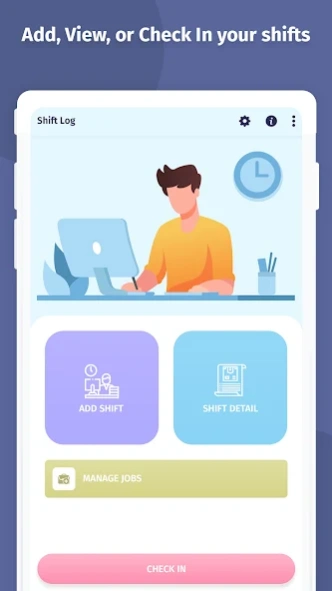


Track shifts, hours, wages, breaks, and tips with this smart shift log tracker.
Shift Log – Office Hours Tracker
Smart Shift Manager & Timesheet Tracker for Work Hours, Pay & Productivity
Shift Log – Office Hours Tracker is the ultimate work hours tracker and timesheet app for employees, freelancers, contractors, and shift workers. Whether you're managing hourly jobs, clocking in/out at multiple worksites, or tracking your wages and expenses, this all-in-one shift manager makes logging hours effortless.
Easily track your shifts, breaks, overtime, wages, holiday pay, tips, expenses, and even mileage – all in one place. With a clean design and powerful features, Shift Log helps you stay on top of your work schedule, income, and productivity.
🔑 Key Features
✅ Quick Check-In / Check-Out
Start or stop your shift and break time with a single tap. Your digital time clock is always ready.
✅ Manual Shift Entry
Add past shifts with full details like start time, end time, breaks, sales, expenses, and tips.
✅ Real-Time Work Hours Tracker
Track regular hours, overtime, premium hours, and total earnings in real time.
✅ Advanced Pay Calculation
Auto-calculate paychecks with base pay, bonuses, holiday wages, tips, expenses, and deductions.
✅ Flexible Pay Periods
View your timesheet by day, week, bi-weekly, monthly, or custom pay periods.
✅ Detailed Reports & Export
Generate timesheet reports in PDF or Excel. Ideal for payroll, HR, or personal finance tracking.
✅ Custom Job Settings
Set hourly rate, overtime rules, holiday pay, and custom deductions or bonuses for each job.
✅ Mileage & Sales Tracker
Log your mileage, sales, or cash tips for better financial insights and reimbursement tracking.
✅ Widget for Quick Access
Clock in/out or add a shift right from your home screen.
✅ Cloud Backup & Restore
Secure your data with Google Drive backup and restore.
🌟 Ideal For:
Employees clocking in/out of jobs
Freelancers tracking billable hours
Delivery drivers and rideshare workers
Restaurant staff (waiters, bartenders) tracking tips
Contractors and field workers
Anyone needing a job time tracker or paycheck calculator
🚀 Why Choose Shift Log?
Minimalist design with powerful features
100% offline functionality (with optional cloud backup)
No ads or interruptions
Saves time during tax season and payroll calculation
Boosts productivity and helps avoid underpaid hours
Download Shift Log – Office Hours Tracker now and take full control of your work hours, income, and job performance – all from your phone!
About Shift Log-Office Hours Tracker
The company that develops Shift Log-Office Hours Tracker is Creative Tech Innovation. The latest version released by its developer is 1.0 .
To install Shift Log-Office Hours Tracker on your Android device, just click the green Continue To App button above to start the installation process. The app is listed on our website since 2026-10-09 and was downloaded 6 times. We have already checked if the download link is safe, however for your own protection we recommend that you scan the downloaded app with your antivirus. Your antivirus may detect the Shift Log-Office Hours Tracker as malware as malware if the download link to com.creativetech.shiftlog is broken.
How to install Shift Log-Office Hours Tracker on your Android device:
- Click on the Continue To App button on our website. This will redirect you to Google Play.
- Once the Shift Log-Office Hours Tracker is shown in the Google Play listing of your Android device, you can start its download and installation. Tap on the Install button located below the search bar and to the right of the app icon.
- A pop-up window with the permissions required by Shift Log-Office Hours Tracker will be shown. Click on Accept to continue the process.
- Shift Log-Office Hours Tracker will be downloaded onto your device, displaying a progress. Once the download completes, the installation will start and you'll get a notification after the installation is finished.
Program Details
System requirements
Download information
Pricing
Version History
version
posted on 2026-10-09
version 1.10
posted on 2026-05-22
--minor bug fixed
version 1.3
posted on 2024-07-30
- minor bug fixed
- android 14 compatible
version 1.2
posted on 2024-07-29
-- minor bug fixed
-- android 13 compatible
version 1.1
posted on 2023-02-03
-- minor bug fixed
-- android 12 compatible
